
聯絡人QR碼生成器
建立數位名片QR碼,即刻分享您的聯絡資訊!
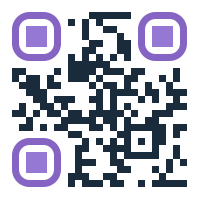
生成聯絡人QR碼
在下方填寫您的聯絡資訊,生成可快速分享聯絡方式的vCard QR碼。
為什麼使用聯絡人QR碼?
讓您的商務網路更現代化,建立持久連線
即時聯絡分享
幾秒鐘內分享完整聯絡資訊,無需手動輸入或交換紙質名片。
專業形象
用現代數位名片脫穎而出,展示您的科技素養和環保意識。
資訊即時更新
隨時更新資訊並重新生成QR碼,不再有過時的名片。
環保解決方案
減少傳統名片的紙張浪費,保持專業網路的同時保護環境。
通用相容性
適用於所有現代智慧手機,聯絡資訊自動新增到通訊錄。
豐富聯絡資訊
包含電話、電郵、網站、社群媒體等,建立全面的數位檔案。
How to Use Contact QR Codes
Simple steps for creating and sharing your digital business card
Creating Your Contact QR Code
Fill Contact Information
Enter your name, phone number, email, and other contact details in the form above.
Add Social Links
Include website, LinkedIn, or other professional social media profiles.
Customize & Download
Style your QR code with colors and logo, then download for use on business cards or signatures.
Scanning Contact QR Codes
Open Camera App
Use your phone's camera or any QR code scanning app.
Scan the QR Code
Point your camera at the contact QR code and wait for recognition.
Add to Contacts
Tap "Add Contact" and all information will be automatically saved to your address book.
Perfect for Every Professional
Contact QR codes are versatile tools for modern networking
Business Cards
Print QR codes on business cards for instant digital contact exchange.
Email Signatures
Add contact QR codes to email signatures for easy contact sharing.
Events & Conferences
Network efficiently at events with instant contact sharing via QR codes.
Social Profiles
Include multiple social media and professional profile links in one QR code.