
How to Create a QR Code for Your Restaurant Menu (Without the Hassle)
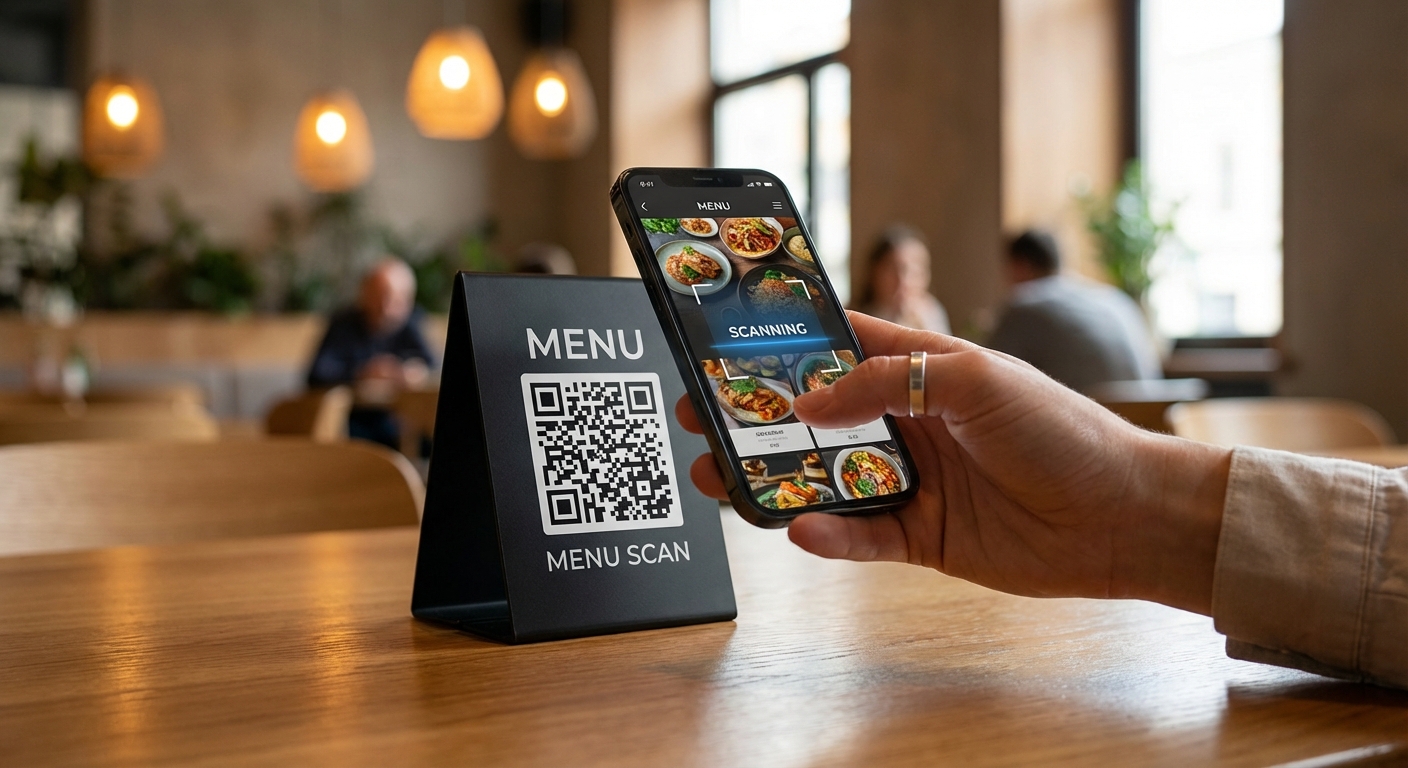
So your restaurant needs a QR code menu. Maybe a customer asked for one, or you’re tired of reprinting menus every time prices change. Either way, you’re in the right place.
Here’s the thing: setting up a QR code menu takes about 10 minutes if you know what you’re doing. Most guides overcomplicate it. Let’s keep it simple.
Why Bother With QR Code Menus?
Let me be honest—QR code menus aren’t perfect. Some customers hate them. But they solve real problems:
The good stuff:
- Update prices instantly (no more crossing out $12 and writing $14)
- Save money on printing (menu design and printing can cost $100+ per menu)
- Customers can browse while waiting to be seated
The not-so-great:
- About 22% of older customers struggle with the tech
- Some people just prefer holding a physical menu
- Poor internet = frustrated customers
According to recent industry data, 75% of full-service restaurants in the U.S. now use QR code menus. But here’s what matters more: 67% of diners prefer having both digital and physical options available. So maybe keep a few paper menus around.
The Fastest Way to Set This Up
There are basically three approaches, ranked by effort:
Option 1: Link to a PDF (5 minutes)
- Export your menu as a PDF
- Upload it somewhere (Google Drive, Dropbox, your website)
- Generate a QR code pointing to that link
- Done
Pro: Dead simple. Con: You’ll need a new QR code every time you update (unless you use a dynamic QR code).
Option 2: Create a Simple Web Page (15 minutes)
- Use a free tool like Canva or Notion to create a menu page
- Publish it with a shareable link
- Generate your QR code
Pro: Looks cleaner on phones than a PDF. Con: Still requires basic design work.
Option 3: Use a Menu Platform (20 minutes)
Services like QRMenu or Menu Tiger give you templates, mobile-optimized pages, and analytics. Some even handle ordering.
Pro: Most polished result. Con: Monthly fees add up. Free tiers often have limitations.
For most small restaurants, Option 1 or 2 works fine. You don’t need fancy software to display a list of food and prices.
Creating Your QR Code
Once you have your menu URL, generating the QR code takes about 30 seconds. Head to our generator and:
- Paste your menu link
- Pick your colors (match your branding if you want)
- Add your logo in the center (optional but looks professional)
- Download and print
Important: Keep the contrast high. A light gray QR code on white paper will frustrate customers. Black on white scans fastest.
Size and Placement Matter
This is where restaurants mess up. A tiny QR code buried in the corner of your table won’t get scanned.
Size guidelines:
- Minimum: 2 x 2 cm (about 0.8 inches)
- For table placement: 3-4 cm works well
- Window display: Scale up so people can scan from a few feet away
Where to put them:
- Table tents (most common, works great)
- Window stickers (let people browse before entering)
- On the host stand
- Inside physical menus (for customers who want both options)
Some restaurants get creative—QR codes on coasters, on staff aprons, even on receipts for takeout orders. But start with tables. That’s where 60% of all menu QR scans happen.
The Dynamic QR Code Trick
Here’s something most people don’t know: there are two types of QR codes.
Static QR codes point to a fixed URL. Change the URL, you need a new code.
Dynamic QR codes point to a redirect URL that you control. Update where it points without changing the printed code.
If you’re printing QR codes on menus, signage, or anything permanent, use dynamic codes. Trust me. When you raise prices in six months, you’ll thank yourself.
Our generator supports both types. For restaurant menus, always pick dynamic.
Common Mistakes (And How to Avoid Them)
I’ve seen restaurants make these mistakes repeatedly:
1. Linking to a non-mobile-friendly page Your menu opens on someone’s phone. If they have to pinch and zoom to read it, they’ll ask for a paper menu instead. Always test on mobile first.
2. Forgetting to test the QR code Print one test copy. Scan it with your phone. Scan it with a different phone. Make sure it actually works before printing 50 table tents.
3. No context or call-to-action A random QR code with no text looks sketchy. Add “Scan for Menu” underneath. Some customers won’t know what it’s for otherwise.
4. Dead links If you change your website or update your Google Drive settings, your QR code breaks. Check your codes monthly.
5. Low-quality printing Pixelated QR codes don’t scan well. Export at high resolution (PNG at 1000x1000 pixels minimum).
What About QR Code Ordering?
Some platforms let customers order directly from their phones. Sounds great in theory. In practice:
- Works well for quick-service restaurants
- Can be awkward for full-service dining
- Requires integration with your POS system
- Staff still need to deliver food
Start with a view-only menu. Add ordering later if your customers actually want it.
Real Talk: Do Customers Like This?
The data is mixed. A survey found that 78% of respondents prefer QR code menus over paper. But that survey probably skewed younger.
In my experience, customers under 45 generally appreciate digital menus. Customers over 60 often prefer physical ones. The smart move? Offer both.
Keep a stack of laminated menus behind the host stand. When someone looks confused at your QR code, hand them a paper menu without making it a big deal.
Getting Started Today
Here’s your action plan:
- Right now: Export your current menu as a PDF or create a simple web page
- In 5 minutes: Generate a QR code using our free tool
- Tomorrow: Print a few table tents and test them during service
- This week: Collect feedback and adjust placement if needed
That’s it. No need to overthink it. A working QR code menu is better than a perfect one you never set up.
Quick Links:
References
- QR Code Statistics for Restaurant Usage - QR Code UK (2024)
- Restaurant Industry Statistics for 2025 - Menu Tiger (2025)
- How Guests Really Feel About QR Code Menus - Toast (2024)
- QR Code Menu Guide - QRCodeChimp (2025)
Related Articles
QRCP: The Terminal Tool That Makes File Transfer Magical
Discover how qrcp revolutionizes file sharing between devices using QR codes. Learn installation, advanced features, and real-world use cases for this powerful command-line tool.
The 7 Best QR Code Libraries for Developers in 2025
Comprehensive comparison of the best QR code generation libraries. From simple generators to advanced styling options, find the perfect library for your project.